Include Invoices with Credit Balance in Auto Generated Invoice
Stay allows users to include A/R invoices with a credit balance when auto generating invoices for an account.
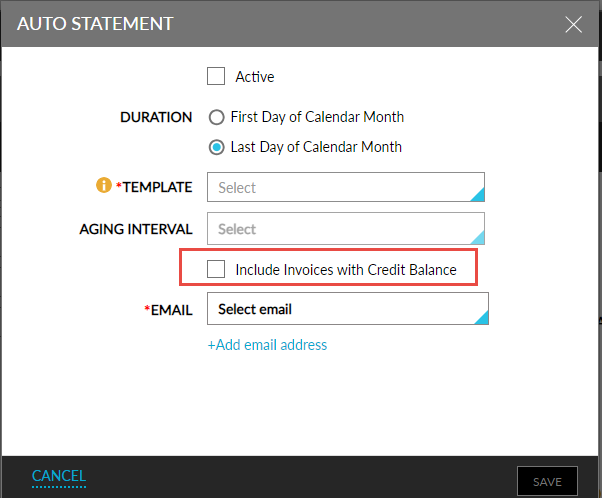
Users must perform the following steps in the Auto Statement pop-up screen (A/R account ➜ Accounts Receivable tab ➜ Summary ➜ Auto Generate Statement) to use this feature.
-
The Include Invoices with Credit Balance checkbox must be selected.
-
When selected, invoices with a credit balance are included in the auto generated invoices.
-
When the checkbox is not selected, only invoices with a positive balance are included in the auto generated statements.
-